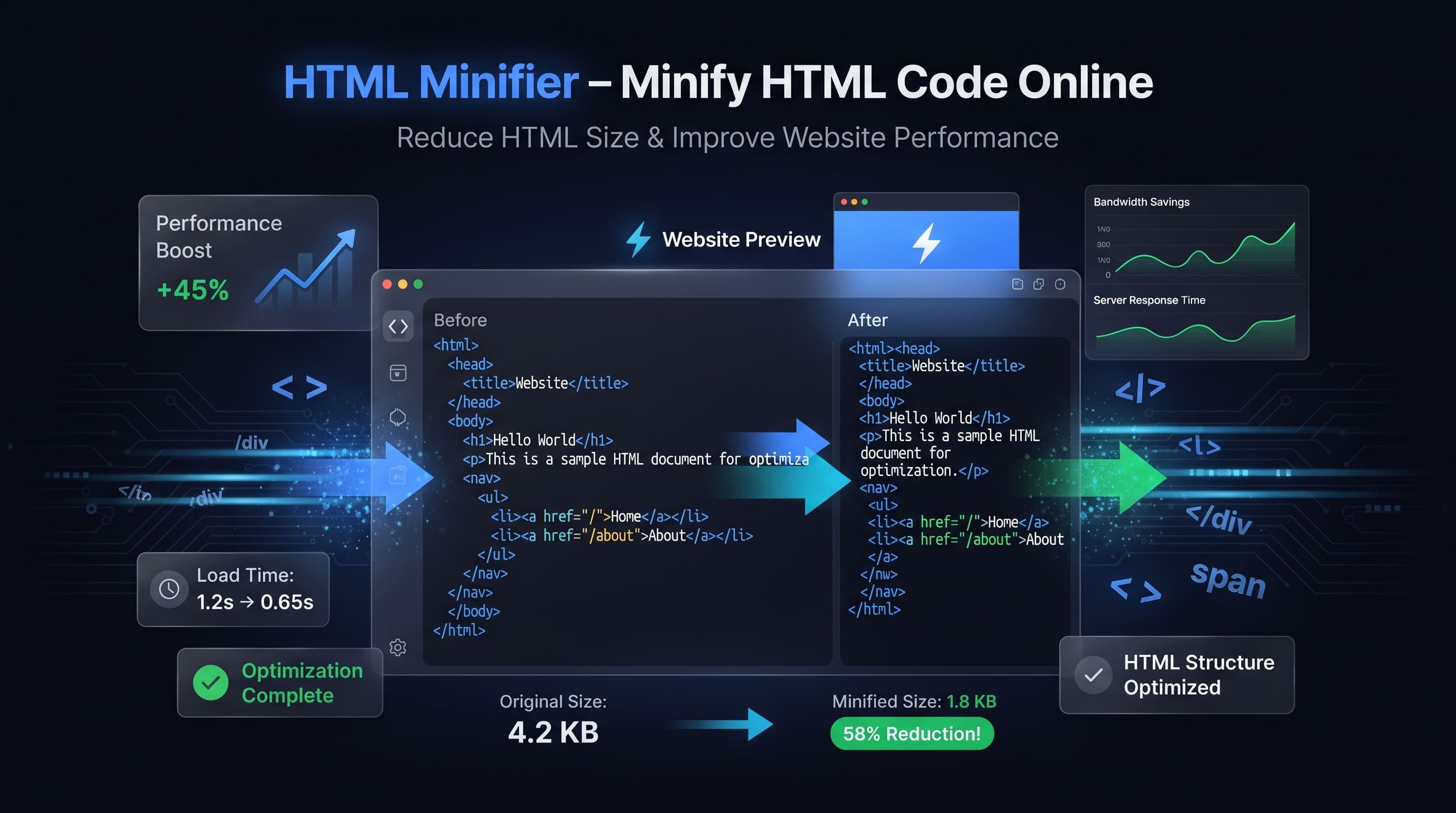
How to Minify HTML Online
HTML is the foundation of every website. As web pages grow larger, HTML files often contain unnecessary spaces, comments, tabs, and formatting that increase file size without providing any benefit to web browsers.
An HTML Minifier removes this unnecessary content while preserving the functionality of your website.
Our free HTML Minifier helps developers optimize HTML instantly without installing any software.
What is HTML Minification?
HTML minification is the process of removing unnecessary characters from HTML documents while keeping the page fully functional.
These unnecessary characters include:
- Extra spaces
- Tabs
- Blank lines
- HTML comments
- Unneeded indentation
- Extra line breaks
Browsers ignore these characters, making them safe to remove.
Why Minify HTML?
HTML minification offers several advantages.
Benefits include:
- Faster page loading
- Smaller HTML files
- Better website performance
- Reduced bandwidth usage
- Improved SEO
- Better Core Web Vitals
- Faster mobile browsing
- Improved user experience
Even small HTML optimizations can improve page speed.
How HTML Minification Works
An HTML Minifier analyzes your HTML code and removes everything that browsers don't require.
It removes:
- Empty lines
- Extra whitespace
- Comments
- Tabs
- Multiple spaces
- Formatting characters
The resulting HTML renders exactly the same in browsers but is much smaller.
Common Uses
HTML Minifiers are widely used for:
- Business websites
- Landing pages
- Blogs
- E-commerce stores
- Portfolio websites
- Next.js projects
- React applications
- Static websites
- Documentation sites
- Progressive Web Apps
Almost every production website benefits from HTML minification.
SEO Benefits
Website speed plays an important role in search engine optimization.
HTML minification helps:
- Improve Google PageSpeed Insights scores
- Reduce page size
- Improve Core Web Vitals
- Increase Lighthouse scores
- Improve mobile performance
- Lower bounce rate
Combined with image optimization and caching, HTML minification contributes to a faster website.
HTML Minification vs HTML Formatting
Many developers confuse these tools.
HTML Minification
Minification removes unnecessary formatting to reduce file size.
Used for:
- Production websites
- Performance optimization
- Faster loading
- Smaller files
HTML Formatting
Formatting organizes HTML with proper indentation and spacing.
Used for:
- Editing HTML
- Debugging
- Learning
- Code reviews
Developers usually format code while developing and minify it before deployment.
Who Uses HTML Minifiers?
HTML Minifiers are useful for:
- Frontend developers
- Full-stack developers
- Web designers
- SEO specialists
- Bloggers
- Agencies
- Students
- Freelancers
- Software engineers
- Website owners
Anyone building websites can benefit from smaller HTML files.
How to Minify HTML Online
Minifying HTML is fast and easy.
Follow these simple steps:
- Open the HTML Minifier tool.
- Paste your HTML code into the editor.
- Click Minify HTML.
- Instantly receive the optimized version of your HTML.
- Copy or download the minified code.
No software installation or account is required.
Best Practices for HTML Minification
To achieve the best results, follow these recommendations.
- Keep a backup of your original HTML source.
- Test your website after minification.
- Minify HTML only for production environments.
- Combine HTML minification with CSS and JavaScript minification.
- Enable Gzip or Brotli compression on your server.
- Optimize images alongside HTML.
- Validate HTML before deployment.
These practices help maximize website speed and reliability.
Common Mistakes
Developers sometimes make mistakes while optimizing HTML.
Common examples include:
- Editing minified HTML directly.
- Removing important conditional comments.
- Forgetting to test the page after minification.
- Minifying incomplete HTML documents.
- Ignoring browser compatibility.
- Assuming minification fixes HTML errors.
Testing your website after optimization ensures everything works correctly.
Why Website Speed Matters
Website performance has a direct impact on visitors and search engines.
A faster website offers several advantages.
- Better user experience
- Improved Google rankings
- Higher Core Web Vitals scores
- Lower bounce rates
- Faster mobile browsing
- Better conversion rates
- Reduced bandwidth usage
- Improved accessibility
HTML minification is one of the easiest ways to improve loading performance.
HTML Minification vs Compression
These two optimization methods work together but serve different purposes.
HTML Minification
Minification removes unnecessary characters from HTML source code.
Examples include:
- Extra spaces
- Tabs
- Blank lines
- Comments
This permanently reduces the HTML file size.
HTML Compression
Compression uses technologies such as Gzip or Brotli when sending HTML files from the server to the browser.
It reduces network transfer size but does not permanently change the original HTML file.
Using both techniques together provides the best website performance.
Why Use an Online HTML Minifier?
Our HTML Minifier offers several useful features.
- Completely free
- No registration required
- Fast processing
- Accurate optimization
- Browser-based
- Mobile friendly
- Easy to use
- Instant results
- Works on all modern browsers
Whether you're optimizing a simple landing page or a large web application, our tool helps reduce HTML size quickly and efficiently.
Frequently Asked Questions
Does HTML minification remove comments?
Yes. Most HTML Minifiers remove comments, blank lines, tabs, and unnecessary whitespace to reduce file size.
Can I recover my original HTML after minification?
Not exactly. You can format the minified HTML using an HTML Formatter, but original comments and formatting are usually lost.
Will HTML minification break my website?
A proper HTML Minifier preserves the page's functionality. However, it's always recommended to test your website after minifying.
Does HTML minification improve SEO?
Yes. Smaller HTML files load faster, helping improve Core Web Vitals, PageSpeed Insights scores, and overall user experience, which can positively influence SEO.
Is this HTML Minifier free?
Yes. Our online HTML Minifier is completely free and works directly in your browser without requiring downloads or installation.
Conclusion
An HTML Minifier is an essential tool for developers, web designers, and website owners who want to improve website performance. By removing unnecessary spaces, comments, and formatting, it reduces HTML file size while preserving the original functionality of your web pages.
Whether you're building a personal blog, a business website, or a large web application, our free online HTML Minifier provides a fast, secure, and reliable way to optimize your HTML. Minify your code instantly, improve loading speed, and deliver a better browsing experience for every visitor.